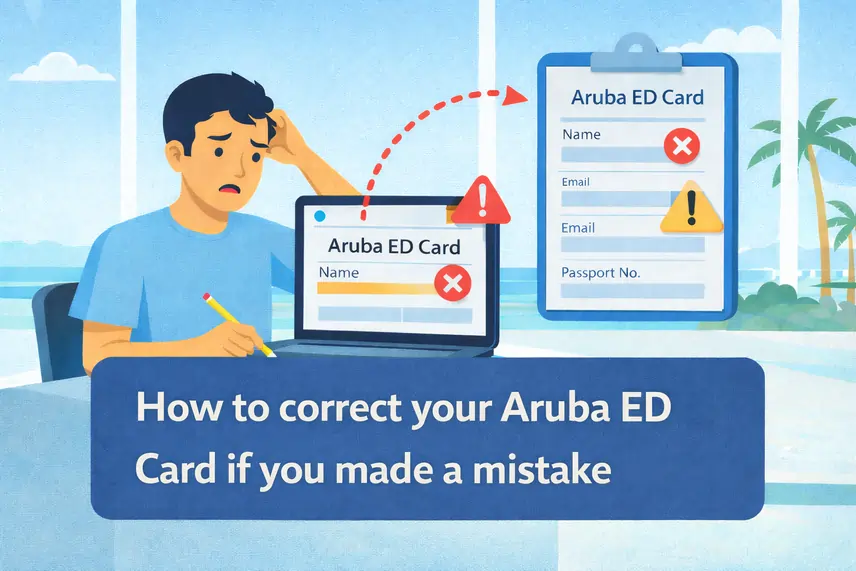
How to fix an error on your Aruba ED Card after submission?
Since implementing the new Sustainability Fee in 2024, our platform has successfully processed over 10,000 applications, maintaining an error rate of 0.1%. This experience allows us to identify rejection patterns that the official portal does not automatically detect.
Don't want to risk rejection or paying double the fee?Completing the Aruba ED Card is a mandatory step for entering the island. Although the form is relatively simple, in practice many tourists make mistakes that can lead to delays, additional airport checks, or the need to complete it again at the last minute.
In this guide you will find the most common mistakes we see from travelers completing the ED Card for the first time, the simplest ways to avoid them, and what to do if you have already submitted the form with an error.
When you use a specialized support service like ours, many of these problems are detected before you submit the form, solving the problem before it even exists.
Can an Aruba ED Card be corrected after it has been submitted?
The possibility of correcting the data on an Aruba ED Card depends on the processing channel used and the processing status of the application before the immigration authorities (DIMAS).
1. Management through ed-card-aruba.com
On the ed-card-aruba.com platform, the system allows for the correction of errors under specific conditions:
- Modification period: Users can request edits to their information as long as the request is made at least 7 days before the travel date.
- Application status: This option is only available while the application is under internal review and has not yet been definitively transferred to government systems. Once submitted to the DIMAS system, direct modification is no longer available.
2. Management through the Official Government Portal
The official system of the Department of Integration, Management and Admission of Foreigners (DIMAS) does not have a post-submission editing function.
- Substantial Errors: Failures in critical data, such as the full name or passport number, invalidate the document. In these cases, a new application must be submitted.
- Government Fees: Issuance of a new ED Card due to applicant errors entails the mandatory payment of a new Sustainability Fee (USD 20). This fee is non-refundable and non-transferable, as it is processed individually for each registration submitted.
- Non-critical errors: Secondary information (such as email address or accommodation name) can sometimes be rectified by contacting official technical support or informing the customs officer at the point of entry, although this may delay the entry process.
The most common mistakes when applying for the Aruba ED Card
Although the form is relatively simple, there are some errors that are constantly repeated among travelers who complete it for the first time.
Write the name different from the one on the passport.
This is one of the most common errors. It occurs when the name entered on the ED Card does not exactly match the name on the passport.
For example:
- Omit a middle name
- Change the order of surnames
- Use a diminutive
- Remove hyphens or accents
In the eyes of the airline or immigration authorities, “Corina López” is not the same person as “Corina María López García” if that is how it appears on the passport
How to avoid it
Have your passport in front of you while completing the form and copy your name exactly as it appears printed, respecting all names, surnames, accents, and hyphens
Before continuing, check character by character.
Expert Tip
Immigration systems typically verify identity using the machine-readable zone of the passport (the bottom strip with letters and symbols). Copying the name exactly as it appears there reduces the risk of rejection
Recommended image:Passport with the machine-readable zone highlighted.
Incorrectly entering date of birth
Another common source of problems is the date of birth. Some travelers write it in a different format than requested, reverse the day and month, or even mistakenly enter the flight date or arrival date.
This can create inconsistencies with passport information and attract attention at checkpoints.
How to avoid it
Check what date format the form uses (for example, day/month/year or month/day/year) and make sure you enter your actual date of birth
If you have any doubts, compare it with the one in your passport.
Entering the passport number incorrectly
A single incorrect digit can cause your ED Card to not match your travel document.
It is common to confuse:
- the letter O with the number 0
- the letter I with the number 1
This also occurs when the memory number is written.
If the passport number on the ED Card does not match the physical document, the airline may ask you to correct the form before allowing you to board.
How to avoid it
Enter the number while looking directly at the passport and double-check the first and last digits.
Recommended image:Passport data page showing the document number
Entering flight details incorrectly
Flight-related errors are very common, especially when the trip has layovers.
Common mistakes:
- Entering the booking number instead of the flight number
- Selecting the connecting flight instead of the flight arriving in Aruba
- Confusing date or time of flight
How to avoid it
Check your electronic itinerary and make sure to enter the flight that lands in Aruba, not the first leg of the trip.
Writing incomplete accommodation information
The ED Card requests information about where you will be staying in Aruba.
A typical mistake is entering only the hotel name or writing an incomplete address.
It also happens that the traveler changes accommodation before the trip and does not update the information.
In some cases, the form may request a Residence Number.
- If you are staying in a hotel, this field is usually filled in automatically when you select the property
- If you are staying in a private home or Airbnb, the Residence Number refers to the physical number of the house or gate in Aruba.
- You should not enter your home address number in your country of origin, but rather the address of your accommodation in Aruba.
How to avoid it
Copy the address directly from your hotel or Airbnb booking.
Entering the email address incorrectly
The email is where you will receive confirmation of your ED Card and the entry QR code.
Common mistakes:
- Typing .con instead of .com
- Inadvertently duplicating letters
- Using an email address you don't check
How to avoid it
Read your email letter by letter before submitting the form.
Expert tip.Avoid browser autocomplete. Sometimes it inserts invisible spaces at the end of the field
Answering security questions without reading them
At the end of the form there are questions related to security or customs.
When a traveler is in a hurry, they may answer without reading properly.
How to avoid it
Take a few seconds to read each question before marking your answer
Do not save the ED Card confirmation
Another common mistake is completing the form and not saving the QR code. The problem arises when the airline requests it during check-in.
How to avoid it
After completing the ED Card:
- Save the QR code to your phone
- Take a screenshot
- Print a copy if you prefer
Completing the ED Card from unreliable websites
Not all pages that appear in Google offer the same reliability or support.
Some may be outdated or not offer help if you make a mistake.
How to avoid it
Use specialized platforms that review the data before sending it.
Submit the form without reviewing everything
Many errors occur simply by not checking the information before submitting the form.
How to avoid it
Before sending your ED Card, please check:
- That your name matches the passport
- That the date of birth is correct
- That the passport number is spelled correctly
- The flight number corresponds to the flight arriving in Aruba
- That the accommodation address is correct
- That the email is well written
These two minutes of checking usually prevent most problems.
What to do if you already sent your ED Card with an error
If you detect an error after submitting the form, the solution depends on the type of problem.
Email error
First, check your spam folder. If you don't find the email, you can request that the QR code be resent or contact support.
Error in passport number
This error is critical. You will usually need to submit a new ED Card application.
Error in name
If the name does not exactly match the one on the passport, the airline may ask you to repeat the form.
Did you make a critical mistake? Apply for a new, error-free ED Card now
Quick checklist to review your ED Card before submitting it
Before submitting your form, please check:
- Your name matches the passport
- The passport number is correct
- The date of birth is correct
- The flight number corresponds to the flight arriving in Aruba
- The accommodation address is correct
- The email is well written.
Common problems reported by travelers
I did not receive the QR code
This usually happens because of an error in the email or because the message ended up in the spam folder.
The ED Card portal is not working
During periods of high demand, the official system may experience temporary failures.
They won't let me board the plane without an ED Card
The ED Card is mandatory and many airlines require the QR code during check-in.
Do you need help completing your ED card without errors?
Avoid problems before your trip. Our team reviews your application before submitting it to detect common errors.
- Human review of the form
- Passport and name verification
- Flight and accommodation verification
- QR code if not received
Don't risk your entry to Aruba over a form error.
Get personalized help to complete your ED Card correctly.
Frequently asked questions about errors and procedures for the Aruba ED Card